Tasks and reminders
Tasks and reminders from one line
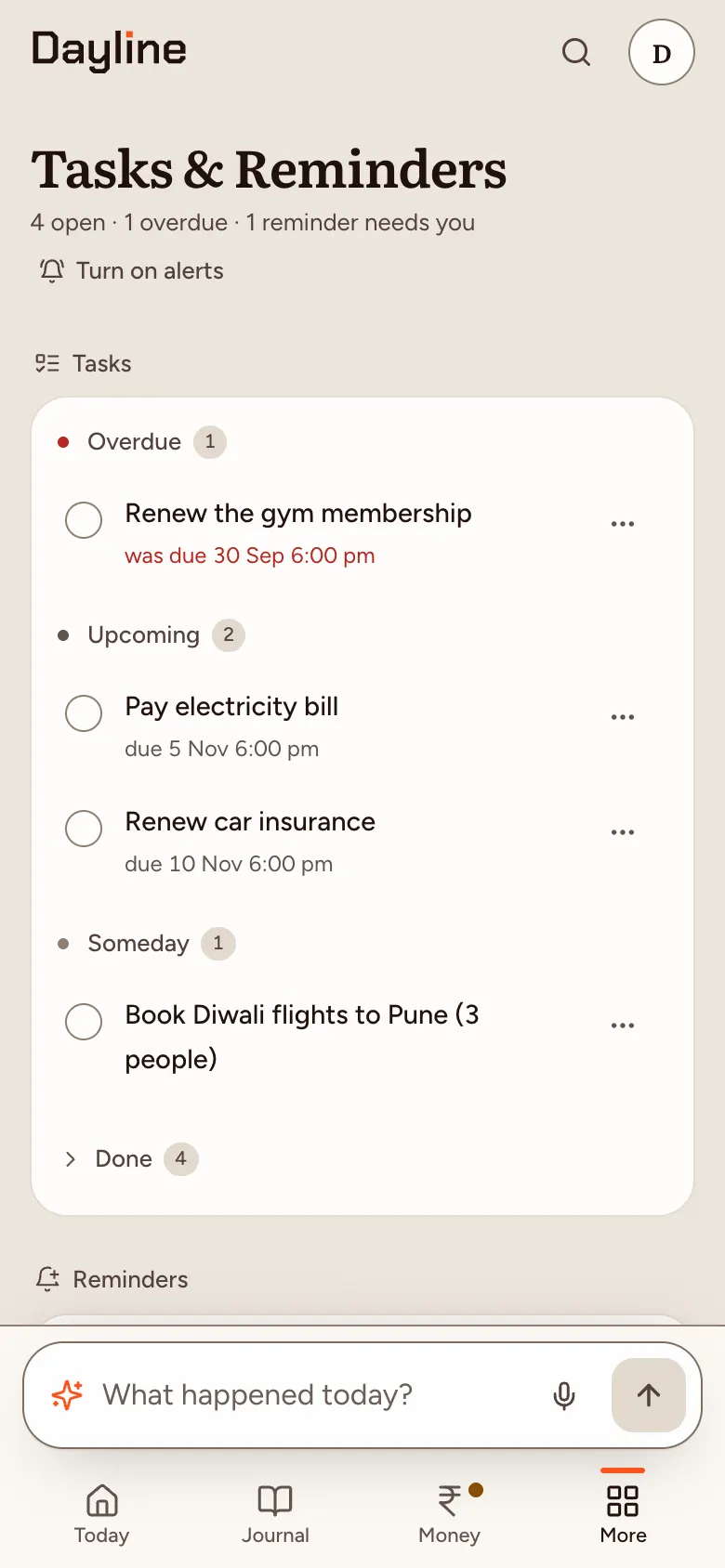
Type or say what you need to do, with a time if it matters: “remind me to call mom at 7”, “pay rent by Friday”. Dayline makes it a reminder or a task with a due date. Turn on notifications and reminders reach your phone even when Dayline is closed, with Done and Snooze.
For example: remind me to water the plants every Sunday at 8
How it works
- Say it onceWrite the plan the way you’d say it. Times, days and “every Sunday” come straight from the line.
- It reaches youSwitch on notifications per device: reminders and due tasks arrive even when Dayline is closed, with Done and Snooze on them.
- Plan the dayToday shows what’s due next to what you spent and ate. A morning brief or evening recap is optional.
Why one line
A reminder you mean to set later is a reminder you forget. Typing the sentence that’s already in your head is quicker than filling in a form.
Private notifications
Each reminder’s text is encrypted on your device before it reaches us; we store only when it fires. Turn off “Show notification text” to keep titles off your lock screen.
Private by default
Only you can read your diary. Not us, not anyone. Encrypted on your device before they sync. We, Cloudflare and anyone with a database copy or backup see only locked data. We don’t have the keys. With Standard AI, an AI reads your words but doesn’t keep them. What end-to-end encryption covers here.
Good to know. Notifications are off until you switch them on for each device. On Android, install Dayline from Chrome first.
Free for everyone during the beta. Not available in the EU, EEA, UK or Switzerland yet.